Data Sovereignty / Pro
zrag
Local-first RAG built on zvec. A persistent daemon keeps collections and embedding models hot in memory, avoiding repeated startup work between queries. Optional external backends use the providers you configure.
What it does.
- Persistent daemon keeps zvec collections and embedding models hot in memory for low-latency queries.
- Hybrid search - keyword and semantic via Reciprocal Rank Fusion, with cross-encoder reranking.
- AST-aware code chunking (Python, TypeScript, Go, Rust, C++) and semantic Markdown splitting.
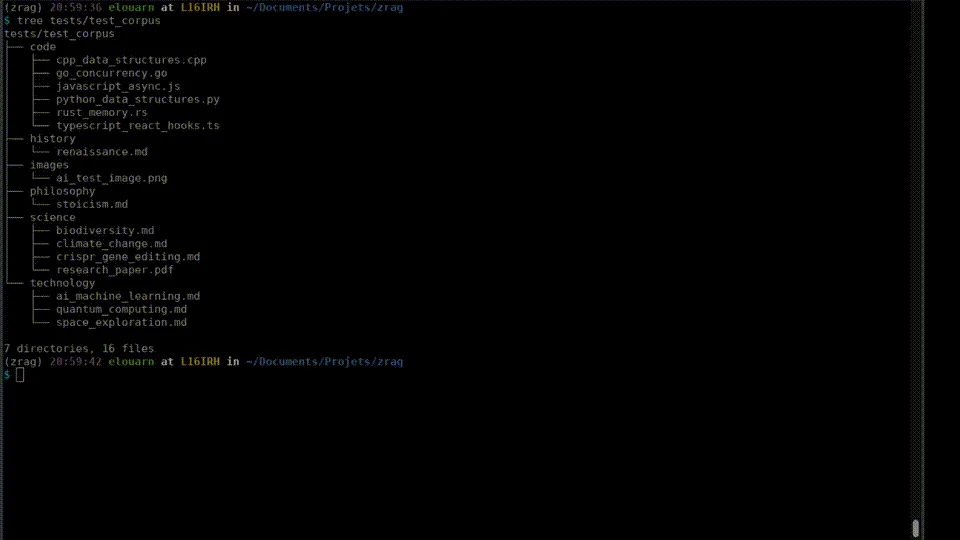
- Ingests text, Markdown, code, PDFs, images (via OpenCLIP), and web URLs.
- Native MCP server for AI assistant integration (Claude Desktop, Cursor).
- Built-in SSRF protections block malicious internal network requests during URL ingestion.
- HyDE query expansion with a configurable LLM backend.
Before you install.
- git (for collection update --pull).
- Base install (CPU): install the downloaded zrag wheel with uv tool install. No GPU needed.
- GPU acceleration (Linux): add the [cuda] extra to the downloaded wheel for CUDA-accelerated torch and llama-cpp.
- macOS: MPS acceleration works out of the box on Apple Silicon - no extra needed.
- Windows GPU: install a CUDA PyTorch wheel separately (PyPI ships CPU-only wheels).
zvec-powered RAG, local & fast
Put it to work.
Use the Pro archive from your purchase. zrag ships as a separate wheel, not inside the Pi bundle.
Choose a file to build your exact command.
Run this command from the folder containing the archive. Selecting a file here does not install or execute anything.
Activate your license with zrag license refresh in your terminal. Activation and periodic entitlement validation contact Polar. Your workload is not uploaded to Bastille-C3.
Full installation & activation guide →In use.
In your terminal
zrag daemon startReference syntax · replace arguments
zrag collection add <name> ./src --mask "**/*.py"Reference syntax · replace arguments
zrag query "<natural language>" -c <name>Reference syntax · replace arguments
zrag query $'intent: auth middleware\nlex: AuthMiddleware\nvec: login flow' -c <name>In your terminal
zrag mcpOperates as a continuous background engine - start the daemon, index knowledge into collections, then search or expose them to AI assistants via MCP. For maximum precision, use a structured multi-line query with intent: (what to find), lex: (exact anchors like file names or symbols), vec: (semantic paraphrase), and hyde: (a hypothetical document passage). Configuration lives in ~/.zrag/config.yaml.
Worth knowing.
- Ships as a standalone Python wheel - not packaged inside the Pro or Team meta-bundle tarball. Install the .whl directly with uv tool install.
- Local embeddings and vector storage by default. Optional HyDE backends and URL ingestion make the connections you configure; paid entitlement checks contact Polar.
- Requires a valid Polar license.
Remove this module
Uninstall Python tool
uv tool uninstall zragRemoving an extension does not cancel your subscription. Manage renewal separately.